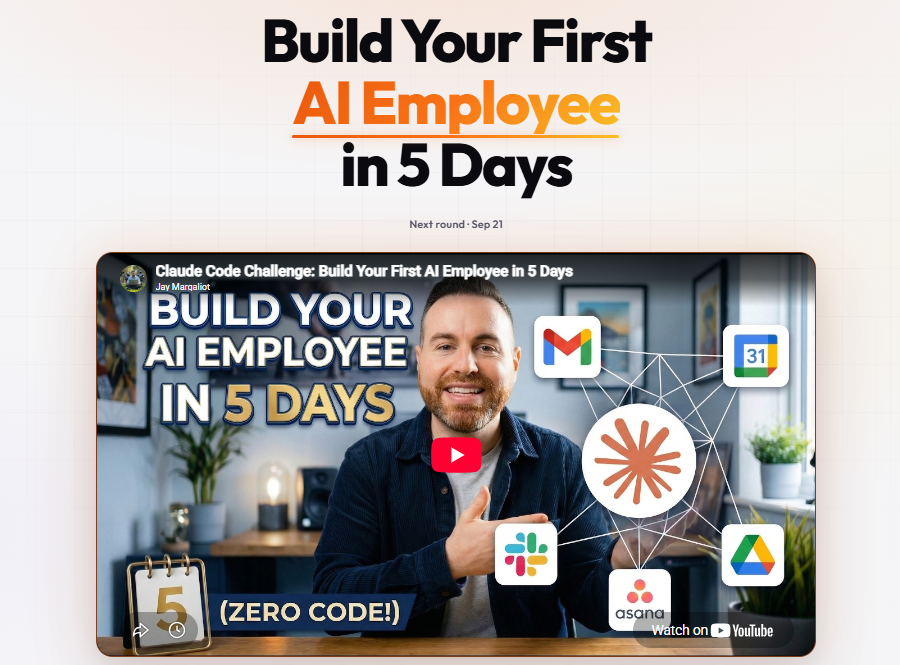
What Is an AI Employee and How Does AI-Powered Automation Work?
What Is an AI Employee?
An AI employee is an AI-powered system designed to assist with specific business tasks and workflows. Unlike a traditional AI chatbot that primarily responds to individual prompts, an AI employee can be connected to tools, applications, information sources, and automated workflows to perform a sequence of defined tasks.
The term “AI employee” does not necessarily mean that artificial intelligence replaces a human employee. Instead, it describes a digital system that can take responsibility for selected, repeatable activities within a business process.
For example, an AI employee might help organize incoming information, conduct research, prepare drafts, process leads, manage routine communications, or update information across connected applications.
The exact capabilities depend on how the system is designed, what tools it can access, and what permissions and instructions it receives.
How Does AI-Powered Automation Work?
AI-powered automation combines artificial intelligence with automated workflows.
Traditional automation generally follows predetermined rules. When a specific event occurs, the system performs a predefined action.
AI automation introduces an AI model into the workflow. The AI can interpret information, classify content, summarize data, generate text, extract useful details, or determine which predefined action should occur next.
A simplified AI automation workflow can be represented as:
Trigger → Information → AI Processing → Decision → Action → Result
For example, when a business receives a new customer inquiry, an AI-powered workflow could analyze the message, identify the type of request, organize the relevant information, and send the data to an appropriate business system.
This allows AI to participate in a broader process rather than functioning only as a standalone chatbot.
Who Is Jay Margaliot?
Jay Margaliot is associated with education focused on practical applications of artificial intelligence and automation.
His Build Your First AI Employee in 5 Days course approaches AI from a practical business perspective, focusing on how users can create an AI-powered system that can assist with defined tasks and workflows.
The course is particularly relevant to entrepreneurs, business owners, and professionals interested in exploring how AI agents and automation can be incorporated into everyday business operations.
What Is Build Your First AI Employee in 5 Days?
Build Your First AI Employee in 5 Days is a practical AI automation course associated with Jay Margaliot.
The course focuses on the concept of building an AI-powered digital worker that can assist with business activities. Rather than treating AI as only a tool for generating text or answering questions, the course explores how AI can become part of an operational workflow.
The broader idea is to identify useful business processes, connect appropriate AI capabilities and tools, and create a system that can handle selected tasks with appropriate instructions and oversight.
Why Are AI Employees Useful?
Businesses perform many repetitive digital activities every day. These can include processing information, organizing data, responding to routine inquiries, conducting research, preparing documents, and moving information between different applications.
AI employees can potentially assist with some of these activities.
For example, instead of manually reviewing every incoming inquiry, a business could use an AI-powered system to categorize messages and organize them according to predefined criteria.
Similarly, an AI system could assist with research by processing information and preparing a structured summary for human review.
The value comes from connecting AI capabilities to an actual workflow rather than using AI as an isolated tool.

Jay Margaliot-Build Your First AI Employee in 5 Days
Build Your First AI Employee in 5 Days by Jay Margaliot (2026) is a premium AI & Automation course designed for entrepreneurs, business owners, agencies, consultants, marketers, freelancers, and professionals who want to build AI-powered employees that automate business operations, improve productivity, and reduce repetitive manual work.
What Can an AI Employee Do?
The tasks an AI employee can perform depend on its configuration and available tools.
Potential use cases include:
- Research assistance
- Lead processing
- Customer-support assistance
- Content workflows
- Data organization
- Administrative tasks
- Email assistance
- Information retrieval
- Document processing
- Business reporting
- Workflow coordination
- Repetitive digital operations
Not every task should be automated. Processes involving sensitive information, important decisions, or significant consequences may require human review.
AI Employees vs AI Assistants
AI employees and AI assistants are closely related, but the terms are often used differently.
An AI assistant generally helps a user complete individual tasks. For example, an assistant might draft an email, summarize a document, or answer a question.
An AI employee represents a broader workflow concept. It may be designed around a particular role or business function and connected to multiple tools and processes.
For example:
AI Assistant: “Write a response to this customer.”
AI Employee: “Monitor incoming customer requests, categorize them, retrieve relevant information, prepare responses, and route cases requiring human attention.”
The second example involves a larger workflow rather than a single task.
AI Employees and AI Agents
AI agents are an important technology behind many AI employee concepts.
An AI agent can be designed to pursue a specific objective, process information, use connected tools, and perform multiple actions within defined boundaries.
An AI employee can therefore be viewed as a business-oriented implementation of AI-agent technology.
For example, a business might create an AI agent designed to support lead management. The agent could receive information from a lead form, analyze the submission, organize the data, and trigger an appropriate workflow.
The agent’s capabilities depend on the tools and permissions provided to it.
What Is Workflow Automation?
Workflow automation is the process of using software to automatically move information or perform actions between different steps of a process.
A simple workflow could look like:
New Form Submission → Save Information → Send Notification
AI-powered workflow automation can add an intelligent processing step:
New Form Submission → AI Analyzes Information → Categorize Lead → Save Data → Notify Team
This combination can make workflows more adaptable while still keeping predefined processes and controls in place.
Why Is an AI Employee Useful for Small Businesses?
Small businesses and startups often operate with limited time and resources. Owners may have to manage marketing, sales, customer communication, research, administration, and operations themselves or with a small team.
AI-powered systems can potentially assist with repetitive digital tasks.
For example, an AI employee could help organize customer inquiries, process information, conduct research, or prepare routine outputs.
The goal is not necessarily to automate an entire business. Instead, businesses can identify specific processes where automation can reduce repetitive work.
What Does Jay Margaliot’s Course Teach?
Jay Margaliot’s Build Your First AI Employee in 5 Days focuses on the practical process of creating an AI-powered digital worker.
The course provides a business-oriented way to explore concepts such as AI agents, AI automation, workflows, digital employees, and productivity.
The core concept is to move from simply asking an AI model questions toward designing a system that can participate in repeatable business processes.
This makes the course relevant to people who want to understand how AI can be turned into a practical operational tool.
How Can Businesses Start With AI Employees?
A useful starting point is to identify repetitive tasks.
Businesses can examine their existing workflows and ask:
- Which tasks are repetitive?
- Which activities require processing large amounts of information?
- Which workflows follow predictable steps?
- Where does information need to move between applications?
- Which tasks can be reviewed by a human after AI processing?
Once a suitable workflow has been identified, the business can determine whether AI, traditional automation, or a combination of both is appropriate.
Starting with a small workflow can make testing and monitoring easier.
Human Oversight and AI Employees
AI employees should not automatically be treated as completely independent workers.
AI systems can make mistakes, misunderstand instructions, generate inaccurate information, or take an inappropriate action if a workflow is poorly designed.
Human oversight can therefore remain important, particularly for sensitive information, financial activities, customer-impacting decisions, and other high-consequence processes.
Good AI automation should include clear instructions, limited permissions, appropriate checks, and a way for humans to intervene when necessary.
Why Learn AI Employee Automation?
Understanding AI employees can help people think about artificial intelligence from a systems perspective.
Instead of asking only what an AI model can generate, users can consider how AI can interact with tools, information, applications, and workflows.
This approach can be useful for entrepreneurs, business owners, freelancers, marketers, agencies, and professionals interested in improving digital processes.
Jay Margaliot’s course provides a practical framework for exploring these concepts through the idea of building an AI employee.
Final Thoughts
AI employees represent a growing approach to applying artificial intelligence to business workflows.
Rather than using AI only for individual prompts, an AI employee can combine AI models, agents, tools, information, and automation to assist with multiple steps in a defined process.
AI-powered automation can be useful for repetitive digital activities such as research, information processing, lead management, customer-support assistance, content workflows, and administrative tasks.
Jay Margaliot’s Build Your First AI Employee in 5 Days explores this concept from a practical perspective, helping learners understand how AI-powered systems can become part of modern business workflows.
The most effective approach is to start with clearly defined tasks, use appropriate permissions, monitor results, and maintain human oversight where it matters.
FAQs
What is an AI employee?
An AI employee is an AI-powered system designed to assist with defined business tasks and workflows using AI models, tools, automation, and connected applications.
How does an AI employee work?
An AI employee can receive information, process it using AI, interact with authorized tools, and perform predefined actions as part of a larger workflow.
Who is Jay Margaliot?
Jay Margaliot is associated with practical AI and automation education, including the course Build Your First AI Employee in 5 Days.
What is Build Your First AI Employee in 5 Days?
It is a practical course by Jay Margaliot focused on the concept of creating an AI-powered digital worker that can assist with business tasks and automated workflows.
What can an AI employee automate?
Depending on its configuration, an AI employee can assist with research, lead processing, customer-support workflows, content processes, information organization, administrative tasks, and other repetitive digital activities.
What is the difference between an AI employee and an AI assistant?
An AI assistant often helps with individual tasks, while an AI employee generally refers to a broader AI-powered system designed around a role, process, or collection of connected workflows.
Are AI employees the same as AI agents?
Not exactly. AI agents are a technology that can power AI employee systems. An AI employee is generally a broader business concept built around one or more AI-powered agents and workflows.
Can small businesses use AI employees?
Yes. Small businesses can potentially use AI-powered systems to assist with suitable repetitive workflows, although the appropriate use depends on the business process and available technology.
Can AI employees work completely independently?
The level of autonomy depends on the system’s design and permissions. Human review is still important for sensitive, complex, or high-impact tasks because AI systems can make errors.
Why is AI automation important?
AI automation can help connect artificial intelligence with real workflows, allowing businesses and individuals to automate or assist with repetitive digital processes while keeping humans involved where appropriate.