What Can You Learn From Daniel Riley’s AI Video Bootcamp?
AI-generated images and videos have changed how creators, marketers, filmmakers, agencies, and businesses approach visual content. Instead of relying entirely on traditional production processes, creators can now use generative AI to develop images, animate scenes, create characters, produce advertisements, experiment with filmmaking, and build repeatable content workflows.
AI Video Bootcamp, co-founded by Daniel Riley and Mateo Starcevic Filipovic, is built around these AI-powered creative workflows. The official Bootcamp currently describes the program as a structured nine-phase course and community covering AI image generation, AI video creation, sound and editing, character consistency, AI video advertising, social-media content, filmmaking, and cloning and automation.
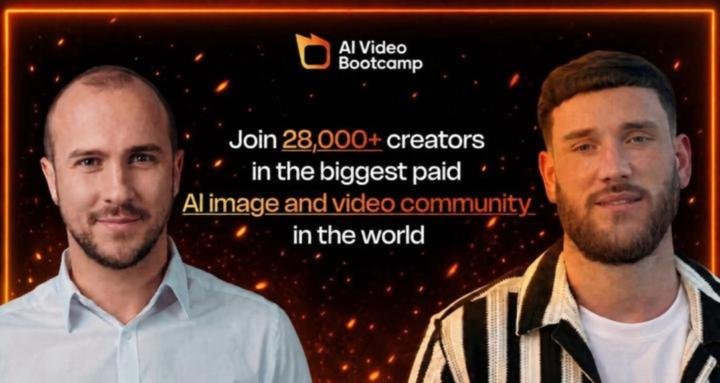
CourseCanvass lists Daniel Riley – AI Video Bootcamp (2026) among its AI-focused courses. The Bootcamp itself currently reports more than 25,000 members and describes the community as a place where creators can learn, practice, receive feedback, and explore ways to monetize AI video skills.
What Is AI Video Bootcamp?
AI Video Bootcamp is an online AI image and video creation course combined with a creator community.
Its curriculum is structured into nine phases, beginning with foundational concepts and progressing toward advanced AI production and monetization workflows. The curriculum is updated as new tools and techniques become available.
The nine current phases are:
- Initiate
- AI Images
- AI Videos
- Sound Effects & Editing
- Character Consistency
- AI Video Ads
- Social Media AI Content
- AI Filmmaking
- Cloning & Automation
This gives the program a broader focus than simply teaching users how to generate a short AI video.
Who Is Daniel Riley?
Daniel Riley is a co-founder and creative lead of AI Video Bootcamp.
His official biography says his work focuses on AI-generated video advertisements, UGC-style content, character consistency, faceless creator workflows, large-scale AI content production, social distribution, and prompting for cinematic AI video.
The Bootcamp’s website reports that Riley generated 130 million views in one month and built an audience of more than 650,000 followers across multiple platforms. Those figures are claims published by the Bootcamp and should be understood as self-reported rather than independently audited results.
His role in the program is particularly focused on the creative and production side of AI media.
What Can You Learn From AI Video Bootcamp?
1. AI Image Generation
AI image generation forms one of the foundations of the Bootcamp.
The curriculum focuses on prompting, composition, lighting, editing, and creating realistic visual assets. The current official FAQ mentions tools such as Midjourney, DALL-E, and Stable Diffusion.
You can use these skills to create:
- Characters
- Product visuals
- Advertising concepts
- Backgrounds
- Storyboards
- Social-media graphics
- Visual concepts
Learning image generation is particularly useful because AI-generated images can become starting points for AI video production.
2. AI Video Generation
The third phase focuses specifically on AI video.
The Bootcamp currently references tools including Kling AI, Runway, and Pika, with newer platforms added as the technology develops.
The curriculum focuses on turning static visual concepts into moving sequences while working with elements such as:
- Motion
- Camera control
- Visual consistency
- Realism
- Scene composition
Because AI video models change quickly, the Bootcamp says its curriculum is updated regularly.
3. AI Prompting
Prompting is an important skill throughout AI image and video creation.
A good prompt can communicate details such as:
- Subject
- Environment
- Lighting
- Camera angle
- Movement
- Composition
- Visual style
- Atmosphere
The Bootcamp specifically advertises expert-level prompting and provides prompt libraries and tested workflows.
The goal is not simply to type a few words into an AI model, but to develop a more structured way of communicating visual ideas.
4. Character Consistency
Character consistency is one of the major challenges in AI-generated visual storytelling.
Without a consistent workflow, a character’s face, clothing, environment, or overall appearance can change from one generation to another.
The fifth phase of AI Video Bootcamp specifically focuses on character consistency, including maintaining faces, outfits, environments, and styles across images and videos.
This can be useful for:
- AI influencers
- Storytelling
- Short films
- Brand characters
- Recurring social content
- Advertising campaigns
5. AI Influencers
The Bootcamp also teaches creators how AI-generated characters can be used to develop influencer-style content.
The current community description specifically mentions creating and monetizing AI influencers.
A basic workflow can look like:
Character → Images → Video → Voice → Content → Distribution
The consistency skills become particularly important when a creator wants the same digital character to appear repeatedly.
6. AI UGC
AI UGC is another major part of the program.
UGC-style content generally presents products or ideas in a creator-oriented format rather than looking like a traditional polished commercial.
The Bootcamp’s current materials include AI UGC ads and product campaigns among the topics covered.
These workflows can be relevant to:
- E-commerce brands
- Agencies
- Marketers
- Product businesses
- Social-media creators
7. AI Video Ads
The sixth phase focuses on AI Video Ads.
The Bootcamp describes this phase as covering AI influencers, UGC-style advertisements, and product campaigns.
A typical AI advertising workflow might involve:
Product → Concept → Script → Visuals → AI Video → Voice → Editing → Ad
AI can make it easier to experiment with different creative concepts and variations.
8. Social Media AI Content
The seventh phase focuses on social-media content.
The official curriculum mentions content designed for platforms such as TikTok, Instagram, and YouTube.
The focus is not simply on generating a video, but on understanding how AI-generated material can be packaged into platform-specific content.
This can involve:
- Short-form videos
- Visual hooks
- Recurring characters
- AI-generated storytelling
- Social-media formats
- Content variations
9. AI Filmmaking
AI Video Bootcamp also moves beyond short-form social content.
The eighth phase focuses on AI filmmaking, including longer-form scenes, dialogue, world-building, and emotional pacing.
A simplified AI filmmaking workflow can be:
Idea → Story → Characters → Scenes → Visual Generation → Animation → Dialogue → Sound → Editing
AI can assist with several stages, while the creator remains responsible for creative direction and final decisions.
10. Sound Effects and Editing
Generating visuals is only one part of producing a finished video.
The fourth phase focuses on sound effects and editing, including sound design, voice, music, and professional editing techniques.
The official FAQ also mentions tools such as ElevenLabs, Murf, CapCut, Premiere Pro, and DaVinci Resolve.
This allows learners to explore the complete production process rather than stopping at raw AI-generated footage.
11. Faceless Content
AI can also be used to create content without the creator appearing personally on camera.
Daniel Riley’s official biography specifically lists faceless creator workflows among his areas of expertise.
A faceless workflow can combine:
- AI-generated visuals
- AI characters
- Voice generation
- Narration
- Animation
- Editing
- Storytelling
This can be useful for creators interested in building content channels without traditional on-camera production.
12. Cloning and Automation
The ninth phase focuses on cloning and automation.
The current curriculum describes workflows for cloning a creator’s face, voice, and personality and building systems that can assist with content production at scale.
This can involve:
- AI avatars
- Voice cloning
- Digital presenters
- Automated production
- Content systems
- Repeatable publishing workflows
These technologies should be used responsibly, particularly when representing real people.
Why Is AI Video Bootcamp Useful?
The main usefulness of AI Video Bootcamp is that it connects multiple parts of AI content creation into one structured learning path.
Instead of learning image generation, video generation, sound, editing, prompting, advertising, and automation as completely separate subjects, the curriculum connects them.
A simplified workflow is:
Prompt → Image → Video → Sound → Edit → Publish
The community component adds another layer. The current Skool listing describes personal feedback, a guided roadmap, challenges, weekly updates, and a community of more than 28,000 members.
This can make the learning process more practical than simply watching disconnected tutorials.
What Are the Benefits?
Structured learning
The nine-phase curriculum provides a progression from introductory AI creation to more advanced production and monetization topics.
Exposure to multiple tools
The Bootcamp covers multiple image, video, audio, avatar, and editing tools rather than limiting learners to one platform.
Character consistency
Learners can study techniques for maintaining characters across multiple visual generations.
AI advertising
The curriculum includes AI influencers, UGC-style ads, and product campaigns.
Community feedback
The current community provides opportunities to share work and receive feedback from other creators.
Regular updates
AI video technology changes rapidly, and the Bootcamp says it updates the curriculum weekly.
Multiple monetization paths
The official program describes possible paths including freelancing, agencies, UGC, faceless channels, templates, and creative assets.
Who Is AI Video Bootcamp For?
The current Bootcamp information identifies several potential audiences:
- Content creators
- Freelancers
- Agencies
- Marketers
- Founders
- Side-hustle builders
- AI art enthusiasts
- Complete beginners
The official site specifically says previous AI or video-editing experience is not required.
Is AI Video Bootcamp Suitable for Beginners?
Yes. The program is explicitly designed to start from the beginning.
The curriculum begins with an Initiate phase before moving into AI images, AI video, editing, consistency, advertising, social content, filmmaking, and automation.
This means a beginner can first learn the fundamentals before moving toward more advanced AI production.
At the same time, experienced creators can use the later phases to explore advanced workflows.
What Makes AI Video Bootcamp Different?
One major distinction is that it combines a structured curriculum with a large creator community.
The official site currently reports more than 25,000 members, while the current Skool page reports 28,000+ members. Membership figures can change and the two sources were crawled at different times.
The other distinction is breadth.
The program doesn’t stop at AI video generation. It covers:
Images → Video → Sound → Characters → Ads → Social Content → Filmmaking → Automation
That makes it more of an AI visual-production ecosystem than a single-tool tutorial.
What Are the Limitations?
AI Video Bootcamp operates in a rapidly changing technology category.
AI models, features, pricing, interfaces, and capabilities can change quickly. The Bootcamp addresses this by updating its curriculum weekly, but learners still need to keep adapting as tools evolve.
Another limitation is that access to many AI tools may involve separate subscriptions or usage costs. Learning a workflow does not necessarily mean every tool used in the workflow is included in the Bootcamp membership.
Finally, learning AI video does not guarantee income. The Bootcamp describes several potential monetization paths, but actual results depend on factors such as skill, portfolio quality, market demand, clients, audience, and execution.
What Skills Can You Develop?
By working through the curriculum, learners can develop knowledge related to:
- AI image generation
- AI video generation
- Prompt engineering
- Character consistency
- AI UGC
- AI influencers
- AI advertising
- Social-media content
- AI filmmaking
- AI animation
- Voice generation
- Sound design
- Video editing
- Faceless content
- AI avatars
- Content automation
- Creative workflows
These skills can be applied across marketing, social media, advertising, filmmaking, e-commerce, and creator businesses.
How Can AI Video Bootcamp Help With Content Creation?
Traditional video production can involve many separate stages:
Idea → Script → Filming → Voice → Editing → Publishing
AI can potentially assist with several of those stages.
A modern AI-assisted workflow might look like:
Idea → AI Script → AI Image → AI Video → AI Voice → Editing → Social Post
The creator still needs to make creative decisions and review the final output.
The purpose of the Bootcamp is to teach learners how these tools can fit together into a repeatable production process.
How Can AI Video Skills Be Used Professionally?
AI video skills can have applications across several areas.
Advertising
AI can help marketers experiment with video-ad concepts, product visuals, and UGC-style creative.
Social Media
Creators can use AI-generated visuals and videos for short-form content.
Freelancing
AI video skills can be offered as creative services to businesses and brands.
Agency Work
Agencies can incorporate AI production into advertising and content workflows.
E-Commerce
Brands can experiment with product videos, advertisements, demonstrations, and creative variations.
Filmmaking
Creators can explore AI-assisted storytelling, animation, characters, environments, and cinematic sequences.
Where Can You Learn More About AI Video Bootcamp?
The official AI Video Bootcamp website currently describes the program as a nine-phase AI image and video curriculum combined with a creator community.
CourseCanvass also lists Daniel Riley – AI Video Bootcamp (2026) among its available course offerings.
Final Thoughts
Daniel Riley’s AI Video Bootcamp focuses on the practical use of generative AI for visual content creation.
Its current curriculum covers much more than basic AI video generation. Learners can explore image generation, prompting, video creation, sound, editing, character consistency, AI advertising, social-media content, filmmaking, cloning, and automation.
The community component is another important part of the program, providing opportunities for feedback and interaction with other AI creators.
For someone interested in AI-powered visual creation, the Bootcamp provides a structured path from basic image generation toward more advanced video production and professional applications.
The key takeaway is that effective AI video creation is not simply about generating a clip. It involves creative direction, prompting, consistency, storytelling, sound, editing, and understanding how different AI tools work together.
Daniel Riley-AI Video Bootcamp
AI Video Bootcamp 2026 (Yearly Membership) by Daniel Riley is a premium AI Production membership designed for filmmakers, content creators, agencies, marketers, entrepreneurs, educators, and creative professionals who want to build professional AI production workflows and create high-quality cinematic videos using modern AI technologies.
Frequently Asked Questions
What is Daniel Riley’s AI Video Bootcamp?
AI Video Bootcamp is an online AI image and video creation course and community co-founded by Daniel Riley and Mateo Starcevic Filipovic. Its current curriculum contains nine phases covering AI images, video, editing, character consistency, advertising, social content, filmmaking, and automation.
Who is Daniel Riley?
Daniel Riley is a co-founder and creative lead of AI Video Bootcamp. His stated areas of expertise include AI video advertising, UGC-style content, character consistency, faceless workflows, AI content production, and cinematic AI prompting.
What does AI Video Bootcamp teach?
It teaches AI image generation, AI video generation, prompting, character consistency, AI UGC, AI advertising, social-media content, filmmaking, sound, editing, cloning, and automation.
Is AI Video Bootcamp suitable for beginners?
Yes. The official program says it is designed for complete beginners as well as experienced creators and does not require previous AI or video-editing experience.
What AI video tools are covered?
The official FAQ mentions tools including Kling AI, Runway, Pika, Midjourney, DALL-E, Stable Diffusion, HeyGen, Synthesia, D-ID, ElevenLabs, Murf, CapCut, Premiere Pro, and DaVinci Resolve. The exact toolset can change as new models are released.
Does the Bootcamp teach AI image generation?
Yes. AI image generation is the second phase of the current curriculum, with a focus on prompting, composition, lighting, and editing.
Does AI Video Bootcamp teach AI UGC?
Yes. AI UGC-style advertising and product campaigns are included in the AI Video Ads phase.
Does it cover AI filmmaking?
Yes. The eighth phase focuses specifically on AI filmmaking, including longer-form scenes, dialogue, world-building, and emotional pacing.
Does AI Video Bootcamp teach video editing?
Yes. The fourth phase covers sound effects and editing, while the official FAQ mentions editing tools including CapCut, Premiere Pro, and DaVinci Resolve.
Can you learn about AI influencers?
Yes. The Bootcamp’s current community description specifically mentions creating and monetizing AI influencers.
Does it teach monetization?
Yes. The program describes several potential paths, including freelancing, agency work, UGC, faceless YouTube channels, templates, and creative assets.
How often is the Bootcamp updated?
The official curriculum says it is updated weekly as new tools and techniques become available.
Who is AI Video Bootcamp for?
It is designed for content creators, freelancers, agencies, marketers, founders, side-hustlers, AI enthusiasts, and complete beginners interested in AI image and video creation.